Key issues
Inconsistent components and patterns across products; duplicated design and development work; difficulty maintaining visual consistency.
A unified design system to create consistent, scalable and efficient digital products.
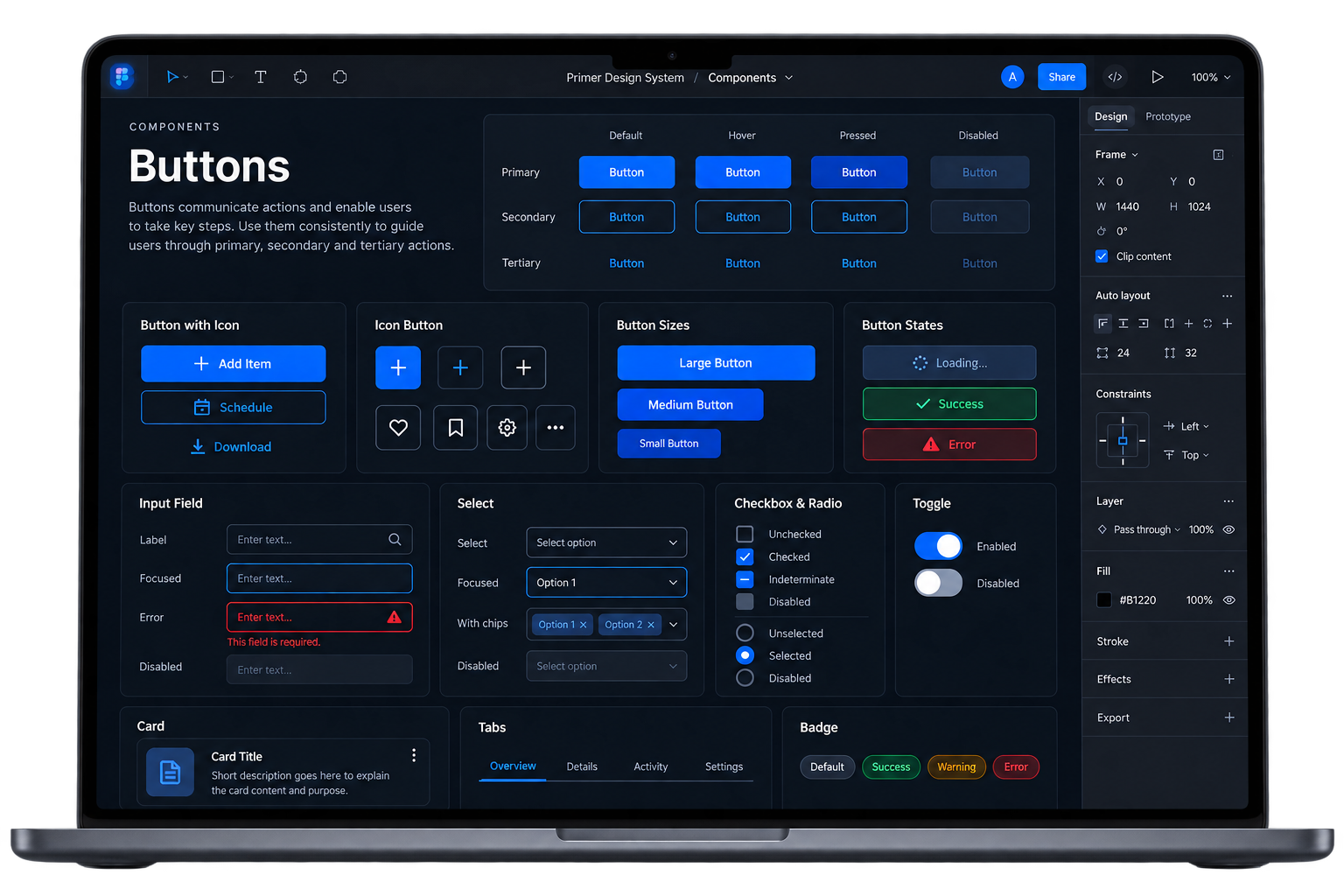
As the product ecosystem expanded, teams were building components independently, leading to inconsistent user experiences, duplicated effort and increased maintenance costs.
Inconsistent components and patterns across products; duplicated design and development work; difficulty maintaining visual consistency.
Fragmented experiences, inconsistent terminology, slower development due to rework and increased design debt.
Longer design and development cycles, higher cognitive load and maintenance effort, and a greater risk of brand inconsistency.
Build a scalable design system that provides consistent components, patterns and guidelines across all products, improving efficiency, user experience and team collaboration.
Unified look and feel across products
Faster design and development
Better alignment across teams
A flexible system that grows with the product
Primer provides a complete set of reusable components, clear guidelines and best practices, enabling teams to design and build consistent, high-quality products faster and at scale.
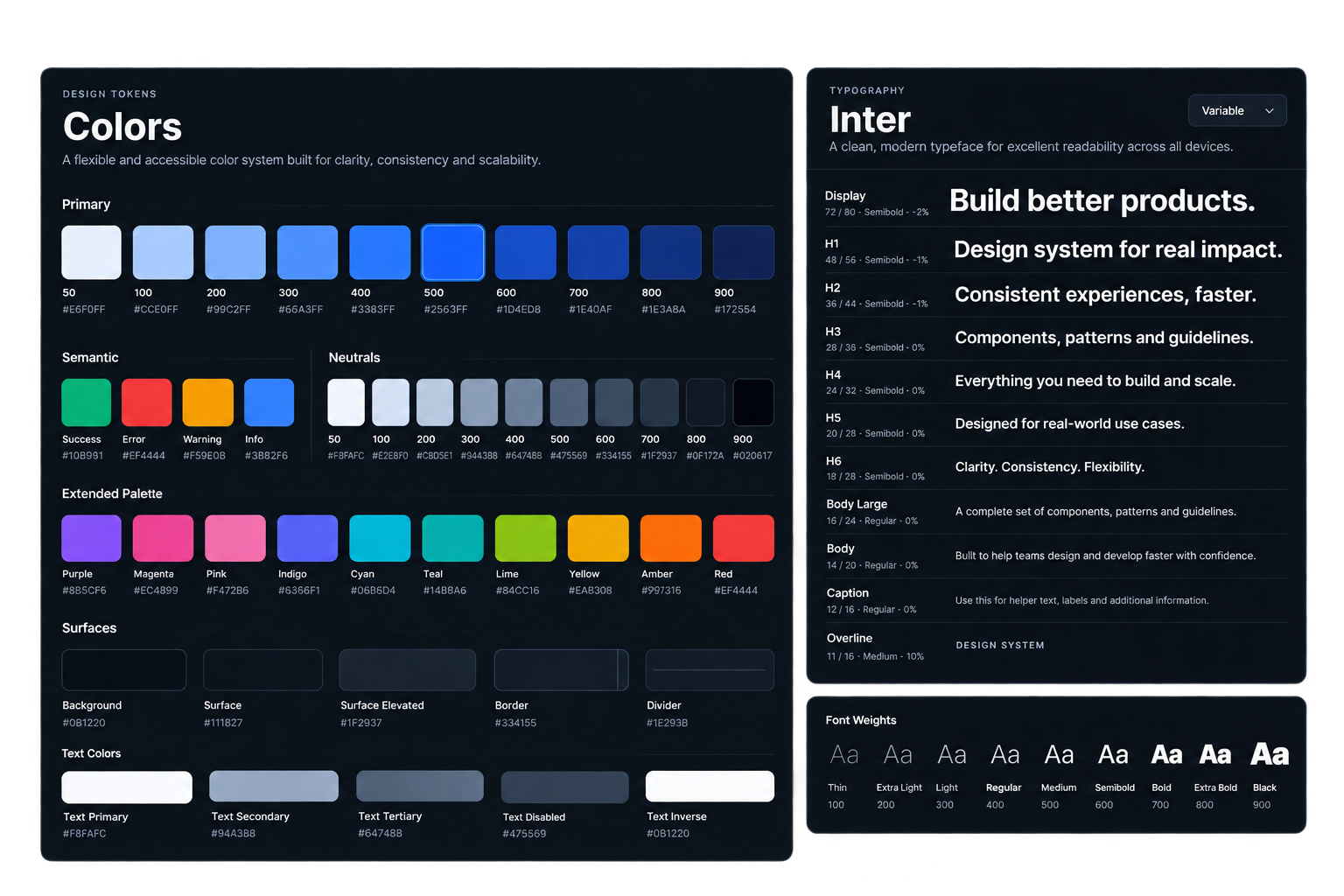
A complete set of components, patterns and guidelines designed to cover real-world use cases.
Buttons, inputs, forms, tables and modals.
Common workflows and layouts.
Typography, color, spacing and iconography.
Charts, graphs and analytics components.
Usage guidelines, do's and don'ts.
The Primer Design System helps teams build consistent, high-quality products more efficiently while creating a seamless experience for users.